
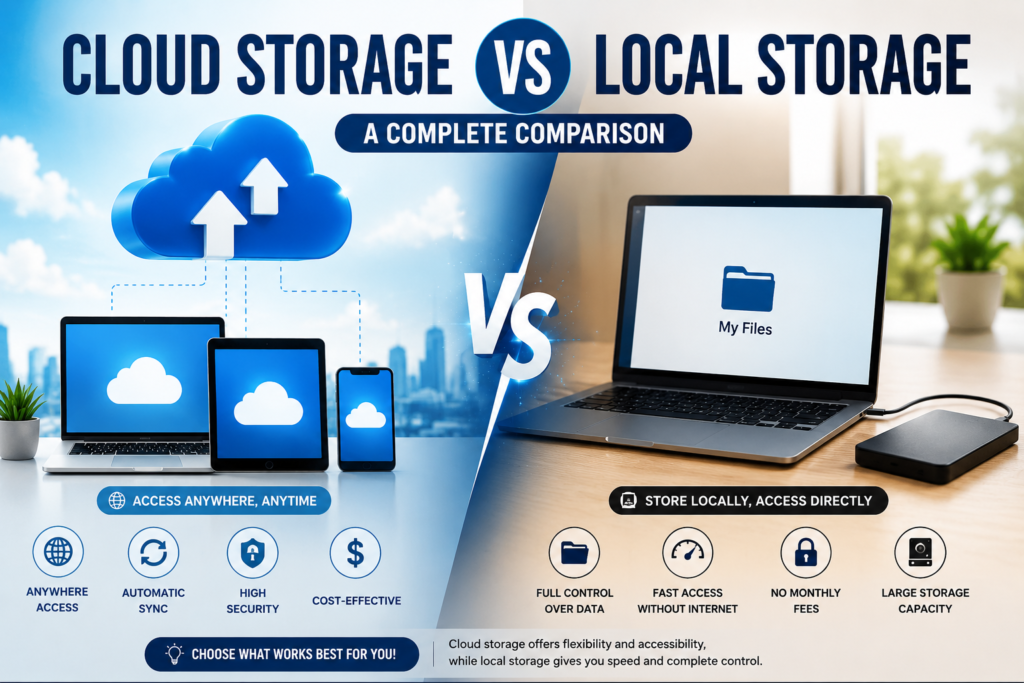
Here’s a scenario that many business owners and IT managers have probably gone through at least once in their careers. You have more storage capacity needs than originally anticipated. There is a question from a leader in the company about whether to add to the current infrastructure or go the cloud route entirely. This is coming up in two days and there is no room for marketing spiel.
The discussion around cloud storage vs local storage has been going on for over a decade, and there is still no universal answer. Every business has different requirements, budgets, and security priorities. When comparing cloud vs local storage, the right choice depends entirely on how your organization stores, accesses, and manages its data.
This article will provide a concise comparison between the two methods from all perspectives that matter.
What Each One Actually Is
Before diving deeper into the cloud storage vs local storage comparison, let’s understand what each storage model actually means.
If you choose cloud storage, it means your data is hosted on servers managed and provided by third-party service providers, such as Amazon Web Services, Microsoft Azure or Google Cloud. You connect to them via the Internet. Your pay-per-use system works here. It means you do not own the hardware, you do not manage it, you do not maintain it, you do not even have any dedicated personnel for managing it.
If you choose local storage, also known as on-premise storage, then your data will be stored on the hardware that you own and manage on-site, meaning that you purchase all the equipment, you manage it, you maintain it.
Both approaches have pros and cons.
The Cost Question, Which Is More Complicated Than It Looks
Cost is probably the very first factor people consider when comparing cloud storage vs local storage, and at the same time it is the field where many erroneous comparisons happen the most often.
The reason why cloud storage is more attractive regarding initial cost lies in the fact that there is no need to buy any hardware. After subscribing, payment of a monthly/annual fee and start working. It really is true when we talk about small companies and organizations that require limited amounts of storage space. Amazon S3, Google Cloud Storage and Microsoft Azure Blob Storage have pay-as-you-go schemes that depend on your actual consumption of services.
The cost of local storage might seem quite high since building a system that includes servers, hard drives, networking hardware and backup systems requires significant investments. The cost of creating an adequate on-premise storage system for a medium company can vary from $10,000 up to over $100,000.
But here is where the comparison gets more honest. Cloud costs scale with usage, and at higher data volumes they scale quickly. Egress fees, the charges for retrieving your own data from the cloud, catch many organizations off guard. A company storing and actively accessing several hundred terabytes of data monthly can find itself paying cloud bills that significantly exceed what the equivalent on-premise infrastructure would cost amortized over three to five years.
A Gartner study found that organizations moving workloads back from cloud to on-premise reported average cost savings of 30 to 40% once their data volumes reached a certain threshold. That does not mean the cloud is overpriced. It means the cost calculation depends heavily on your specific usage patterns.
For smaller data volumes and organizations that want predictable monthly costs without capital outlay, cloud wins on cost. For larger, established organizations with heavy data usage and the team to manage infrastructure, local storage often wins on total cost of ownership over time.
Read Also: How to Reduce Your Electric Bill: Simple Ways to Save More Every Month
Control and Security, Where the Differences Are Most Meaningful
It is here where cloud and local storage differ the most, as well as where company needs may greatly differ from each other.
In the case of local storage, the data never leaves your office buildings unless you decide to transfer it. You control the people who have access to the hardware. You control the encryption methods used. You control the network where it is stored. If your company deals with highly sensitive data such as patients’ medical files, classified government information, strictly regulated financial data, or intellectual property worth protecting no matter what, then this control has its own value, which is hard to quantify but easy to perceive.
In the case of cloud storage, you delegate your data to a third-party provider. Of course, one can say that the services such as AWS, Azure, or Google Cloud invest in security infrastructure more than 99% of businesses will ever do. Such providers have dedicated security personnel, state-of-the-art physical security of the data centers that most companies cannot even imagine, as well as encryption during transit and at rest. According to the IBM report of 2023, the cost of the data breach was $4.45 million.
The practical question is not really which option is more secure in absolute terms. It is which option is more secure given your specific team, budget, and threat model. A small business with no dedicated IT security staff is almost certainly safer on a major cloud platform than managing their own servers. A large financial institution with a dedicated security team and regulatory requirements mandating data residency may be better served keeping data on-premises.
Accessibility and Remote Work
This is where there is no doubt about which side is better when talking about cloud storage vs local storage.
Cloud storage is designed for universal access. No matter where your team is located – in another city, country, or even time zone, everyone will access the same information over the Internet without any need for correctly configured VPNs or frequently disconnected remote desktop connections. Tools of collaboration based on cloud storage like Google Drive, SharePoint or Dropbox Business provide a seamless experience with real-time file sharing and editing.
Your team needs to be connected to the same network or you need to create additional infrastructure like a VPN or remote access in order to allow off-site access. This increases the level of complexity and can become an additional weak point of the whole system. You also cannot ignore the fact that your storage speed for those who work remotely will depend on your office’s upload speed.
For businesses that went fully remote or hybrid during the pandemic years and never went back, the accessibility advantage of cloud storage is significant and practical. For organizations where most users are on-site, and network speeds are fast and reliable, local storage accessibility is perfectly adequate and arguably faster for large file transfers within the building.
Performance and Speed
On-premise storage wins this one when users are on the same local network. Accessing data stored on a local server from an office workstation is limited only by your internal network speed, which in modern setups can run at 1 to 10 gigabits per second. Large video files, complex databases, high-resolution design assets, anything that requires moving big amounts of data quickly benefits from local storage in a way that cloud cannot match for most internet connections.
Cloud storage performance depends on your internet connection on both ends. For organizations in areas with fast, reliable fiber connectivity, cloud performance is genuinely good for most workloads. For organizations in rural areas, regions with unreliable internet infrastructure, or any scenario where connectivity is inconsistent, local storage is not just preferable. It is often essential.
Scalability and Flexibility
Cloud storage scales almost instantly. You need more capacity today, you click a few settings, and you have it. No hardware to order, no lead time to wait through, no installation to schedule. For businesses with unpredictable or seasonal storage needs, this flexibility has genuine practical value.
Local storage scales on hardware cycles. You plan, you budget, you purchase, you install, and then you have the capacity. That process takes time and requires capital that may not always be available exactly when you need it. On the other hand, once that hardware is in place, you own it. There is no subscription to cancel, no pricing change from a vendor to absorb, and no dependency on a third party’s infrastructure decisions.
Read Also: 14 Signs of Vitamin D Deficiency in Adults: Causes, Symptoms & Treatment
Backup, Disaster Recovery, and Reliability
Generally, there is always built-in redundancy from the cloud storage companies because the data will be replicated on more than one location geographically. In case one location experiences an outage, your data will still be available from the other place. The major cloud storage service providers give a 99.9% uptime or more guarantee and actually keep their word.
On-premises storage redundancy is just how well you make it. With the proper design of your local environment with RAID and other features, along with an offsite backup and disaster recovery plan in place, you will have an excellent system. This will take your effort, both monetary and managerial, to set up, implement, and regularly test the system. It is only when you actually require your backup system that many organizations realize that it does not work as expected.
Compliance and Regulation
For some industries, this is the deciding factor, and everything else becomes secondary.
Healthcare organizations in the United States handling protected health information must comply with HIPAA. Financial institutions operate under SEC, FINRA, and various state-level regulations. European businesses handling personal data of EU residents fall under GDPR. Government contractors may face requirements mandating specific data residency or security certifications.
Cloud providers have invested heavily in compliance certifications and can meet many of these requirements. AWS alone holds over 100 security and compliance certifications. But compliance in regulated industries often requires detailed audit trails, specific contractual agreements, and sometimes outright data residency requirements that make local storage the only option that satisfies the letter of the regulation.
Cloud vs Local Storage: Side by Side
| Factor | Cloud Storage | Local Storage |
| Upfront cost | Low | High |
| Long-term cost at scale | Can be higher | Often lower |
| Control over data | Limited | Complete |
| Security responsibility | Provider managed | Self managed |
| Remote accessibility | Excellent | Requires setup |
| Performance on-site | Internet dependent | Very fast |
| Scalability | Immediate | Hardware cycle |
| Disaster recovery | Built in | Self built |
| Compliance flexibility | Good for many industries | Required for some |
| Maintenance burden | None | Significant |
So Which One Is Right for You
The honest answer is that the cloud storage vs local storage question is rarely answered by picking one and applying it universally. Most organizations that have thought carefully about this end up with a hybrid approach, keeping sensitive or performance-critical data on-premise while using cloud storage for collaboration, backup, archiving, and workloads that benefit from easy remote access.
Small businesses without dedicated IT staff lean toward cloud because the operational simplicity is worth a lot when you do not have people to manage servers. Larger organizations with compliance requirements, heavy data volumes, and established IT teams often keep core data on-premises while using cloud selectively.
The question worth asking is not which option is better in general. It is which option fits the specific combination of your team size, your data sensitivity, your budget structure, your compliance obligations, and how your people actually work day to day. Answer those honestly and the right path tends to become fairly clear.
Frequently Asked Questions
Q1: Which one is more secure – cloud storage or local storage?
It depends. Big cloud companies have built security systems that individual firms cannot afford to build. Local storage ensures that your data remains in your hands and not in someone else’s network. It really depends on the security skills of your team and the type of data you are dealing with. If you are working in a small company without anyone to look after security issues, then it is safer for you to use a trusted cloud system.
Q2: What’s the highest hidden cost of cloud storage?
The highest hidden cost of cloud storage is egress fees. They refer to the fees charged by cloud service providers when retrieving or moving your data from their cloud platform. Organizations that store a significant amount of data and retrieve the information frequently might face significant egress costs, which tend to be easy to overlook at the beginning. It is important to always calculate not only your cloud storage costs but your data retrieval patterns too.
Q3: Is it possible to combine cloud storage with local storage?
Yes, and actually that’s what most organizations do. This approach allows you to host your sensitive and critical information on local infrastructure, whereas cloud storage is used for collaboration, remote access, disaster recovery, backup, and less sensitive purposes.
Q4: What is the impact of cloud storage and local storage to remote working environments?
The use of cloud storage is highly advantageous in terms of the availability of remote working teams, as there will be no need for complex configurations using the use of VPNs nor the reliance on the office network connection speed for uploading of the data. The use of local storage is also possible but involves setting up extra equipment.
Q5: In which industry is cloud storage or local storage more favorable?
This would depend on the regulations that the organization is subject to. Cloud storage providers have some compliance certifications that they hold and hence are capable of meeting various regulations. There are, however, some regulatory frameworks that require the data to be in a particular location, and hence some cloud storage providers might not be able to meet them.