
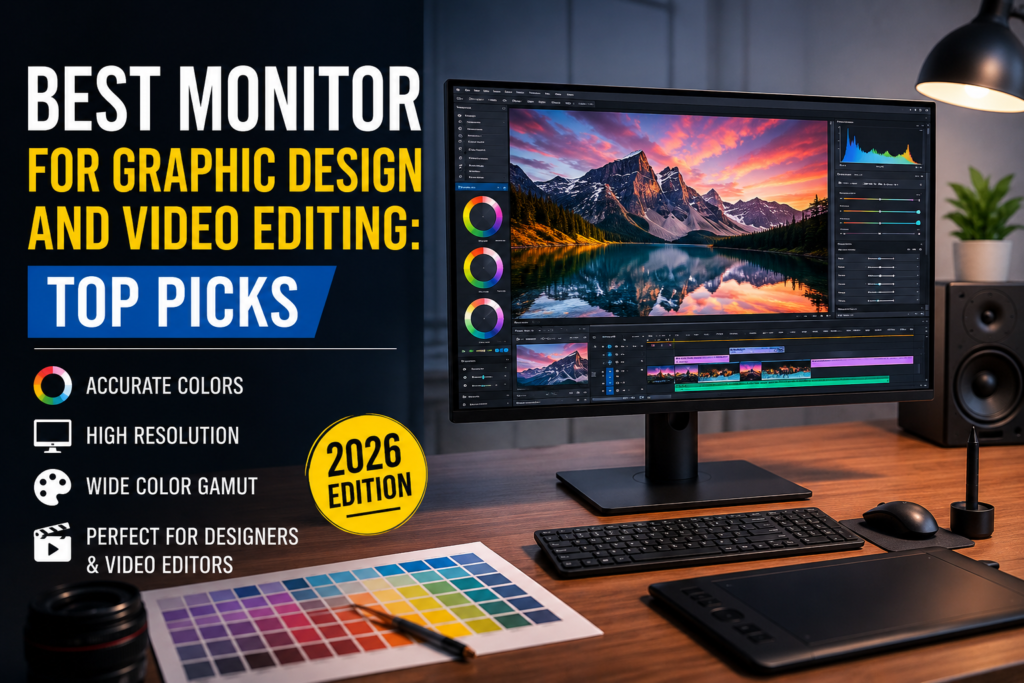
No matter if you create a brand image, edit 4K videos or digital illustrations, your monitor is the key element in your workplace. The most advanced computer won’t help you to overcome bad color accuracy, low resolution or inconsistent brightness of the monitor. With good monitor, you will be able to see your work as it has to be seen and edit it without mistakes.
When you are looking for the best monitor for graphic design and video editing, you will come across a huge number of choices. There are monitors, which focus on color accuracy; other ones have refresh rate or gaming capabilities, which aren’t even needed by creative people. Your choice of monitor will depend on your workflow, budget, and daily used software.
This article gives you all the information regarding the best monitor that should be used for graphic designing and video editing in 2026.
Why it is Important to Choose the Right Monitor
The graphic designer or video editor will be spending many hours looking at the monitor. Poor quality of the monitor leads to distorted color and clarity and sometimes causes problems for the eyes as well.
Some of the benefits that a professional monitor brings include:
- Color accuracy
- Higher resolution
- Improved brightness and contrast
- Increased viewing angles
- Bigger screen real estate for creativity
Since the colors on the screen are displayed accurately, there is no doubt that your design will appear the same elsewhere too.
Essential Features You Should Check in the Best Monitor for Graphic Design and Video Editing
There are some important features you should take into consideration before purchasing a monitor.
1. Color Accuracy
Color accuracy is the most important factor for designers.
Look for monitors that support:
- 99% or 100% sRGB
- 95% or higher DCI-P3
- Adobe RGB coverage for print professionals
- Factory color calibration
Accurate colors help ensure your final project appears the same across different devices.
2. Resolution
Higher resolution means more detail.
Recommended resolutions include:
- Full HD (1920×1080) for beginners
- QHD (2560×1440) for most designers
- 4K UHD (3840×2160) for professionals
A 4K display provides more workspace and makes photo editing significantly easier.
3. IPS Panel
IPS panels remain the preferred choice for creative professionals because they deliver:
- Better viewing angles
- More accurate colors
- Consistent brightness
- Excellent image quality
Avoid TN panels for professional creative work.
4. Screen Size
Monitor size depends on your workspace.
Common recommendations include:
- 24-inch for beginners
- 27-inch for most designers
- 32-inch for professional editing
- Ultrawide monitors for multitasking
Many professionals find 27-inch 4K monitors offer the perfect balance.
5. HDR Support
HDR improves brightness, contrast, and color depth.
If you edit HDR videos, choose a monitor with:
- DisplayHDR certification
- Higher peak brightness
- Wide color gamut
6. Connectivity
Modern monitors should include:
- USB-C
- HDMI
- DisplayPort
- USB Hub
USB-C is especially useful because it can transfer video, data, and power through a single cable.
Read Also: 14 Signs of Vitamin D Deficiency in Adults: Causes, Symptoms & Treatment
Best Monitor for Graphic Design and Video Editing in 2026
Here are our top recommendations.
1. BenQ PD3225U
The BenQ PD3225U is widely considered one of the best monitor for graphic design and video editing professionals.
Key Features
- 32-inch IPS Display
- 4K Resolution
- Thunderbolt 4
- Factory Calibrated
- 98% DCI-P3
Pros
- Outstanding color accuracy
- Excellent build quality
- Thunderbolt connectivity
- Professional calibration
Cons
- Premium price
This monitor is ideal for Adobe Creative Cloud users and MacBook owners.
2. Dell UltraSharp U2725QE
Best 27-inch Monitor
Dell’s UltraSharp series has always been popular among designers.
Features include:
- 27-inch 4K IPS
- Excellent factory calibration
- USB-C Hub
- Comfortable ergonomic stand
Its outstanding sharpness makes it perfect for Photoshop, Illustrator, and Lightroom.
3. ASUS ProArt PA32UCXR
If color precision is your highest priority, ASUS ProArt is difficult to beat.
Highlights include:
- Mini LED
- 4K Resolution
- HDR Support
- Adobe RGB Coverage
- Hardware Calibration
Professional photographers and filmmakers will appreciate its exceptional accuracy.
4. Apple Studio Display
Apple users looking for the best monitor for graphic design 2026 should seriously consider the Studio Display.
Features include:
- 5K Retina Resolution
- Excellent brightness
- Wide P3 Color
- Premium design
Its integration with macOS is seamless.
5. LG UltraFine 32UN880-B
This ergonomic monitor features:
- 4K IPS Display
- USB-C
- Adjustable Arm Stand
- Excellent color reproduction
The flexible stand makes long editing sessions more comfortable.
6. ViewSonic VP2786-4K
ViewSonic designed this monitor specifically for creative professionals.
Benefits include:
- Hardware calibration
- Pantone validation
- Exceptional factory accuracy
It offers incredible value for photographers.
7. BenQ SW272Q
For photographers who print their work, the SW272Q is an outstanding option.
Key specifications:
- Adobe RGB support
- Hardware calibration
- Paper Color Sync
- Anti-glare coating
8. LG UltraGear OLED 32GS95UE
Creative professionals who also enjoy gaming will appreciate this OLED display.
Advantages include:
- Stunning contrast
- Deep blacks
- Vibrant colors
- Fast response time
9. Samsung ViewFinity S9
Samsung’s ViewFinity S9 delivers premium image quality with:
- 5K resolution
- Matte display
- Wide color gamut
- Thunderbolt connectivity
It competes directly with Apple’s Studio Display.
10. Acer ConceptD CP7
The Acer ConceptD series targets designers, architects, and video editors.
It offers:
- HDR1000
- Pantone Validation
- Excellent Adobe RGB coverage
Its performance justifies the premium pricing.
Best Monitor for Graphic Design and Video Editing Comparison Table
| Monitor | Screen Size | Resolution | Best For |
| BenQ PD3225U | 32-inch | 4K UHD | Overall Performance |
| Dell UltraSharp U2725QE | 27-inch | 4K UHD | Everyday Creative Work |
| ASUS ProArt PA32UCXR | 32-inch | 4K UHD | Professional Color Accuracy |
| Apple Studio Display | 27-inch | 5K Retina | Mac Users |
| LG UltraFine 32UN880-B | 32-inch | 4K UHD | Ergonomic Workspace |
| ViewSonic VP2786-4K | 27-inch | 4K UHD | Photography |
| BenQ SW272Q | 27-inch | QHD | Print Designers |
| LG UltraGear OLED 32GS95UE | 32-inch | 4K OLED | Designers & Gamers |
| Samsung ViewFinity S9 | 27-inch | 5K | Content Creators |
| Acer ConceptD CP7 | 27-inch | 4K UHD | Professional Studios |
How to Choose the Best Monitor for Graphic Design and Video Editing
Every creative needs something else from the screen. Don’t base your choice exclusively on price; find out how suitable a particular monitor is for your daily routine.
For Beginners
But if you’ve just started to learn graphic design and video editing, you need not spend so much money on a screen. All you need is a 27-inch IPS monitor with QHD or 4K resolution, decent sRGB color coverage, and a good stand to work with Photoshop, Illustrator, Premiere Pro, and DaVinci Resolve.
For Freelancers
Freelancers tend to work with multiple clients’ projects. That’s why it is important that your monitor supports color accuracy. It should have factory calibration with 99% sRGB coverage and USB-C connections to facilitate using your laptop.
For Professional Designers
If you work on creating logos, posters, and product visualizations, you need a monitor supporting Adobe RGB colors, hardware calibration, and 10 bits colors.
For Video Editors
Video editing demands higher resolution and a wider color gamut. A 4K monitor with HDR support and at least 95% DCI-P3 coverage provides better color grading, improved shadow detail, and a more accurate representation of cinematic footage.
Read Also: Cloud Storage vs Local Storage: A Complete Comparison
Common Mistakes to Avoid When Buying a Monitor
Buying the wrong monitor can affect your productivity and the quality of your work. Here are some mistakes to avoid.
Buying Based Only on Screen Size
A larger monitor isn’t always better. A 32-inch Full HD display may look less sharp than a 27-inch 4K monitor. Always consider the balance between screen size and resolution.
Ignoring Color Accuracy
Many affordable monitors advertise vibrant colors but fail to reproduce them accurately. For creative work, factory calibration and high color gamut coverage are more important than flashy specifications.
Choosing a Gaming Monitor Instead of a Creative Monitor
Gaming monitors prioritize refresh rates and response times, while creative monitors focus on color precision and image consistency. Unless you also game regularly, prioritize color performance over a 240Hz refresh rate.
Overlooking Ergonomics
You’ll likely spend several hours each day in front of your monitor. Adjustable height, tilt, swivel, and pivot features can significantly improve comfort and reduce neck strain.
Forgetting About Connectivity
If your laptop supports USB-C or Thunderbolt, purchasing a monitor with matching ports simplifies your workspace by reducing cable clutter and allowing charging through a single connection.
Is a 4K Monitor Worth It?
For the majority of designers and editors, the answer is definitely a yes.
The 4K monitor provides sharper fonts, more room for work, and more details on pictures. In addition, it makes editing pictures and videos at high resolution a lot easier as you can look at all your work without frequent zooming.
Even though QHD monitors are still a great budget option, a professional would prefer to have that extra sharpness and precision.
Final Verdict
Choosing the right monitor for graphic designing and video editing is based on individual requirements, budget, and preferred software programs. All monitors listed above perform great; however, considering all the features offered, the BenQ PD3225U is the best monitor among the rest because of its perfect color accuracy, 4K resolution, Thunderbolt connectivity, and factory calibration.
In case you use Apple software, there is no better choice than the Apple Studio Display color gamut, which provides you with smooth integration and a beautiful 5K Retina display. If color precision and accuracy is important for you, one of the best monitors on the market is still the ASUS ProArt PA32UCXR.
To find the best monitor for graphic design in 2026, pay attention to such characteristics as the IPS panel, color gamut, resolution, ergonomics, and factory calibration. Choosing the proper monitor now will benefit you in your future creative works greatly.